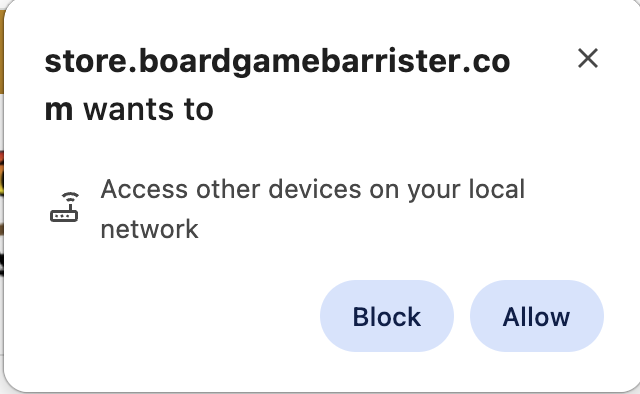
With the release of recent web browsers in 2026 (Firefox 151, Chrome 142, Edge 143), users are prompted to allow or block Local Network Access when a website tried to connect to other websites while loading a page.
Store.BoardGameBarrister.com relies on this mechanism to get up-to-date inventory information on our Product and Cart pages from our real-time server. If this permission is not granted, then inventory information cannot be displayed on the product page and errors will occur when trying to checkout.
This browser prompt is used only for authentication. Store.BoardGameBarrister.com will not access or read information from other devices on your local network. It communicates only with our real-time server.
Instructions to Allow Access
Firefox
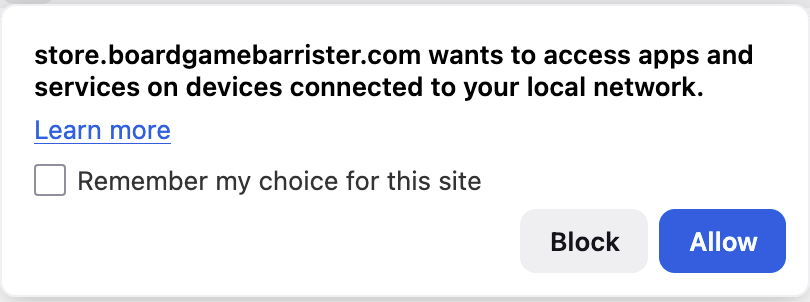
If you are prompted that Store.BoardGameBarrister.com “wants access to other apps and services on your device”, click Allow. Store.BoardGameBarrister.com communicates only with our real-time inventory server, and does not access other devices on your local network. If you want Firefox to always allow Store.BoardGameBarrister.com to connect to local app and service and avoid future prompting, click “Remember my choice for this site“.
Additional links for Firefox users:
https://support.mozilla.org/en-US/kb/control-personal-device-local-network-permissions-firefox
https://support.mozilla.org/en-US/kb/enhanced-tracking-protection-firefox-desktop
Chrome & Edge
If you are prompted with “Look for and connect to any device on your local network”, click Allow.